UKUI (desktop environment)
UKUI is a desktop environment for Linux distributions and other UNIX-like operating systems.[1] First developed for Ubuntu Kylin[2] Written using Qt tools[3][4]
 | |
 | |
| Developer(s) | National University of Defense Technology, Canonical Ltd., |
|---|---|
| Stable release | 1.2.1
/ 2019 |
| Repository | https://github.com/ukui/ukui-desktop-environment |
| Written in | Qt |
| Website | https://www.ukui.org/ |
UKUI (Ubuntu Kylin User Interface) is a Desktop Environment initially developed to work on Ubuntu Kylin, which is a Linux Distro that makes up one of the many official flavors that Ubuntu has. UKUI is a fork of the Mate Desktop Environment.[5][6]
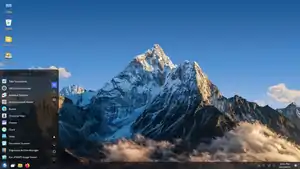
This makes it a Light and fast desktop environment, which consumes few resources. Your code has been developed with technology GTK and Qt, which provides excellent performance and good functionality resulting in a good user experience during everyday use. In addition, its visual appearance similar to Windows 7 Operating System, facilitates its use and implementation on new users outside GNU / Linux.[7]
Galery
References
- pavroo. "UKUI desktop". SparkyLinux. Retrieved 2021-11-15.
- Darkcrizt (2018-10-13). "How to install UKUI on different Linux distributions?". Linux Adictos. Retrieved 2021-11-15.
- "Ubuntu Kylin's UKUI Desktop Switches to Qt, Looks Phenomenal". OMG! Ubuntu!. 2020-02-05. Retrieved 2021-11-15.
- "UKUI 3.1 Makes Some Major Visual Changes". OMG! Ubuntu!. 2020-09-06. Retrieved 2021-11-15.
- Install, Linux Post (2020-08-08). "UKUI: A lightweight Linux Desktop Environment made with GTK and Qt". Desde Linux. Retrieved 2021-11-15.
- "Ubuntu & UKUI desktop - Not a good idea". www.dedoimedo.com. Retrieved 2021-11-15.
- Darkcrizt (2018-02-20). "UKUI a desktop environment that mimics Windows 7". Ubunlog. Retrieved 2021-11-15.